WWidgetNote
WidgetNote/iPhone Note Widget
iPhone note widget

Put a real note widget on your iPhone Home Screen

WidgetNote turns reminders, lists, photos, and shared notes into iPhone widgets you can see without opening an app.

Home Screen and Lock Screen widgets, iCloud sync, and shared notes.

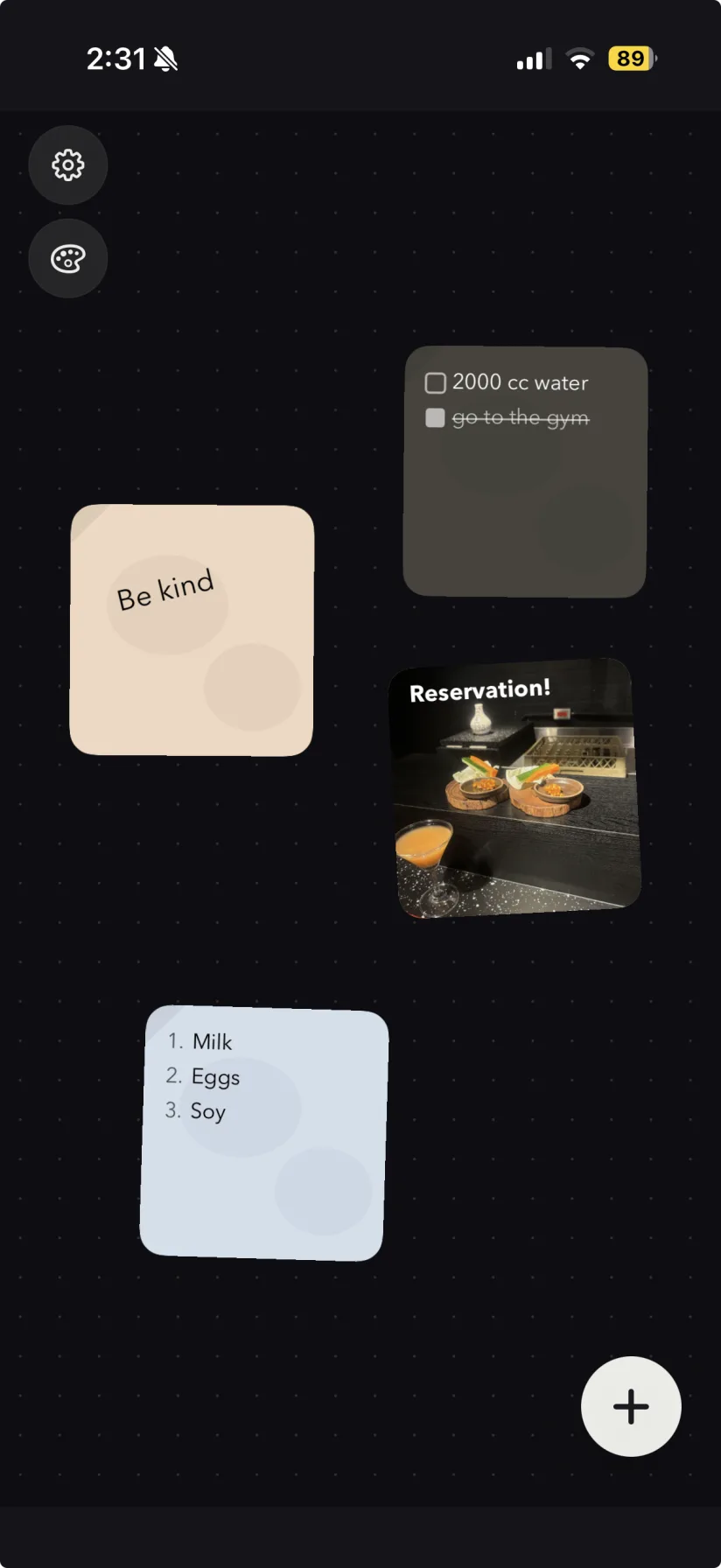
WidgetNote showing multiple note widgets on an iPhone Home Screen
Real WidgetNote widgets on the iPhone Home Screen.

A note widget built for the place you actually look

Regular note apps are useful after you remember to open them. WidgetNote is for the reminders you need to see before that moment: a grocery list, a deadline, a short message from someone close, or one line that keeps the day on track.

Use notes, lists, photos, and reminders as widgets

Create a plain note, a checklist-style reminder, or a photo-backed note, then pin it to the Home Screen in the widget size that fits your layout.

  • Show a single important note on your Home Screen.
  • Use photo backgrounds for visual reminders, tickets, recipes, or memories.
  • Rotate or stack notes when one widget needs to hold more than one idea.

Designed for iOS, not squeezed into a generic note app

WidgetNote is focused on iPhone widgets from the start, with customization that makes a note readable on the Home Screen instead of feeling like a tiny screenshot.

  • Adjust paper color, font, text color, size, position, and tilt.
  • Keep notes synced with iCloud and CloudKit.
  • Open the app from the widget when you need to edit quickly.

Share a note widget with someone else

A note can be shared with a partner, friend, or family group. When someone edits the shared note, the widget updates for everyone.

Steps
1

Create a note

Write the reminder, message, list, or idea you want visible.

2

Choose a style

Pick the paper, font, colors, size, and optional background photo.

3

Add the widget

Long-press the Home Screen, add WidgetNote, and select the note.

4

Keep it updated

Tap the widget to edit. Changes sync across your devices and shared groups.

FAQ

Questions people ask

Can I put a note directly on my iPhone Home Screen?

Yes. WidgetNote lets you create a note and show it as an iPhone Home Screen widget, so the note stays visible without opening the app.

Does WidgetNote support Lock Screen widgets?

Yes. WidgetNote supports Home Screen and Lock Screen widgets, so you can keep different kinds of notes visible in different places.

Can I customize how the iPhone note widget looks?

Yes. You can change paper colors, fonts, text colors, text size, position, tilt, and add photo backgrounds.

Can I share an iPhone note widget?

Yes. Shared notes can update across a partner, friend, or family group through iCloud / CloudKit sync.

Make your first iPhone note widget

Download WidgetNote and pin the note you keep forgetting to the place you already check.