WWidgetNote
WidgetNote/Home Screen Note Widget
Home Screen note widget

Keep important notes on the iPhone Home Screen

WidgetNote helps you turn your Home Screen into a visible place for reminders, checklists, shared notes, and photo-backed notes.

Built for iPhone Home Screen layouts, not hidden inside a notes list.

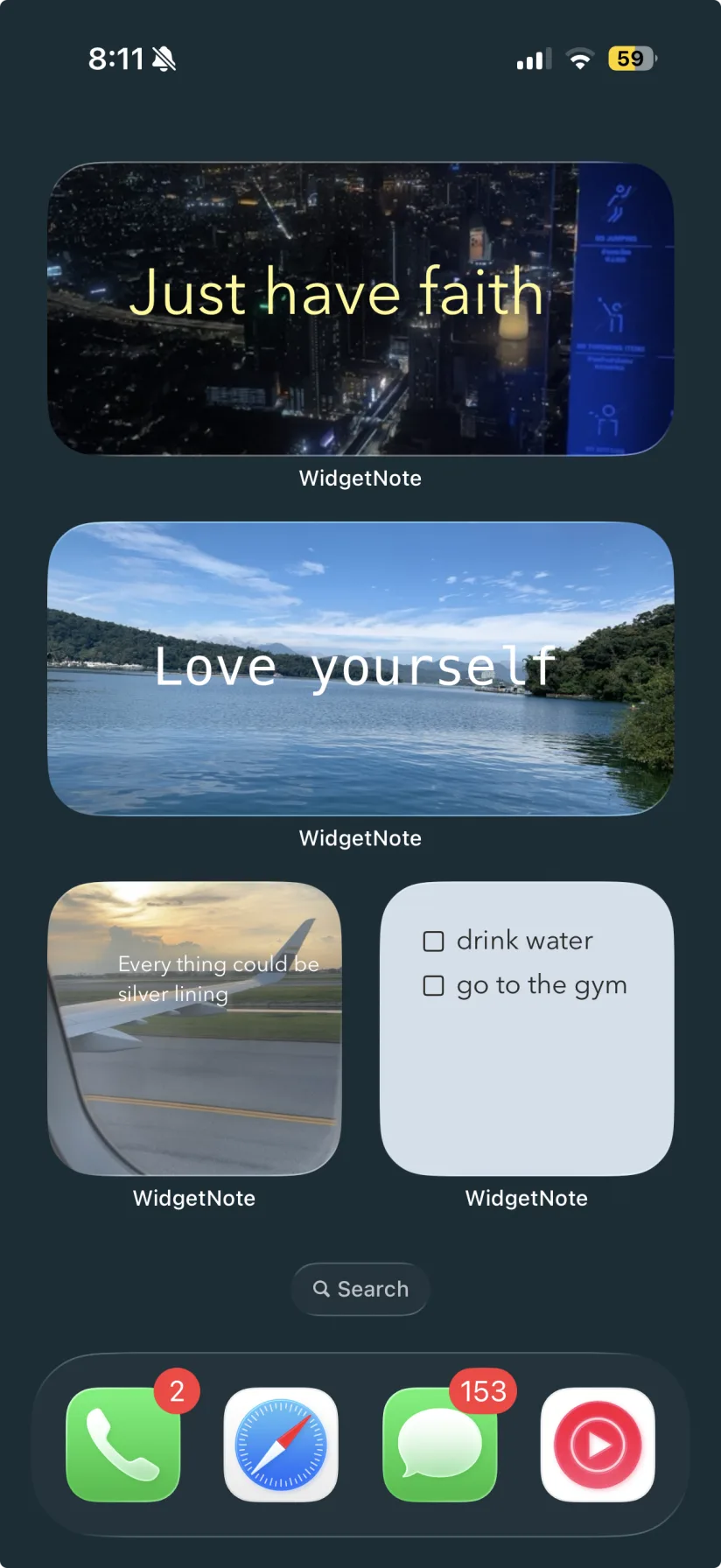
WidgetNote photo notes and checklist widgets on an iPhone Home Screen
Photo notes and checklists can sit side by side on the Home Screen.

The Home Screen is the reminder surface you already have

If a note matters today, it should not be buried in a folder. WidgetNote makes the iPhone Home Screen useful for the small reminders, lists, and messages you need to notice repeatedly.

Plan a Home Screen around what you need to remember

Use WidgetNote for the kind of notes that are too important to stay hidden but too lightweight for a full task manager.

  • Daily checklist or grocery list.
  • A focus line for work or study.
  • A shared family memo or couple note.
  • A photo reminder with a short caption.

Choose widget sizes that fit your layout

Put a compact note beside your favorite apps, or use a larger widget when the note needs room to breathe.

Make the note match your wallpaper

Customize colors, fonts, text placement, and photos so your note is easy to read while still fitting your iPhone aesthetic.

Steps
1

Create today's note

Write the thing you want your Home Screen to keep visible.

2

Style it for scanning

Choose a readable style and preview the note in WidgetNote.

3

Add it to Home Screen

Use the iOS widget picker to place WidgetNote where you want it.

4

Tap when it changes

Open the note from the widget and update it in seconds.

FAQ

Questions people ask

How do I show notes on my iPhone Home Screen?

Install WidgetNote, create a note, long-press the Home Screen, tap +, add the WidgetNote widget, and choose which note to show.

Can I add more than one note widget to the Home Screen?

Yes. You can add multiple WidgetNote widgets or use rotation and stacks for several notes.

Can Home Screen note widgets sync?

Yes. WidgetNote uses iCloud / CloudKit sync so notes can stay updated across devices and shared groups.

Can I use WidgetNote for reminders?

Yes. WidgetNote is useful for visible reminders, checklists, short messages, and anything you need to see at a glance.

Put the important note where you will see it

Download WidgetNote and make your iPhone Home Screen do a little more remembering for you.