The notes widget for your iPhone Home Screen
WidgetNote is a sticky note, notepad, and post-it widget in one. Start from ready-made note templates, add a checklist, countdown, habit tracker, or progress bar you can tap right on the widget, on your Home Screen. Keep short notes visible on your Lock Screen too.
Free to start · New: templates & interactive tools · iCloud sync
2. Eggs
3. Soy
go to the gym
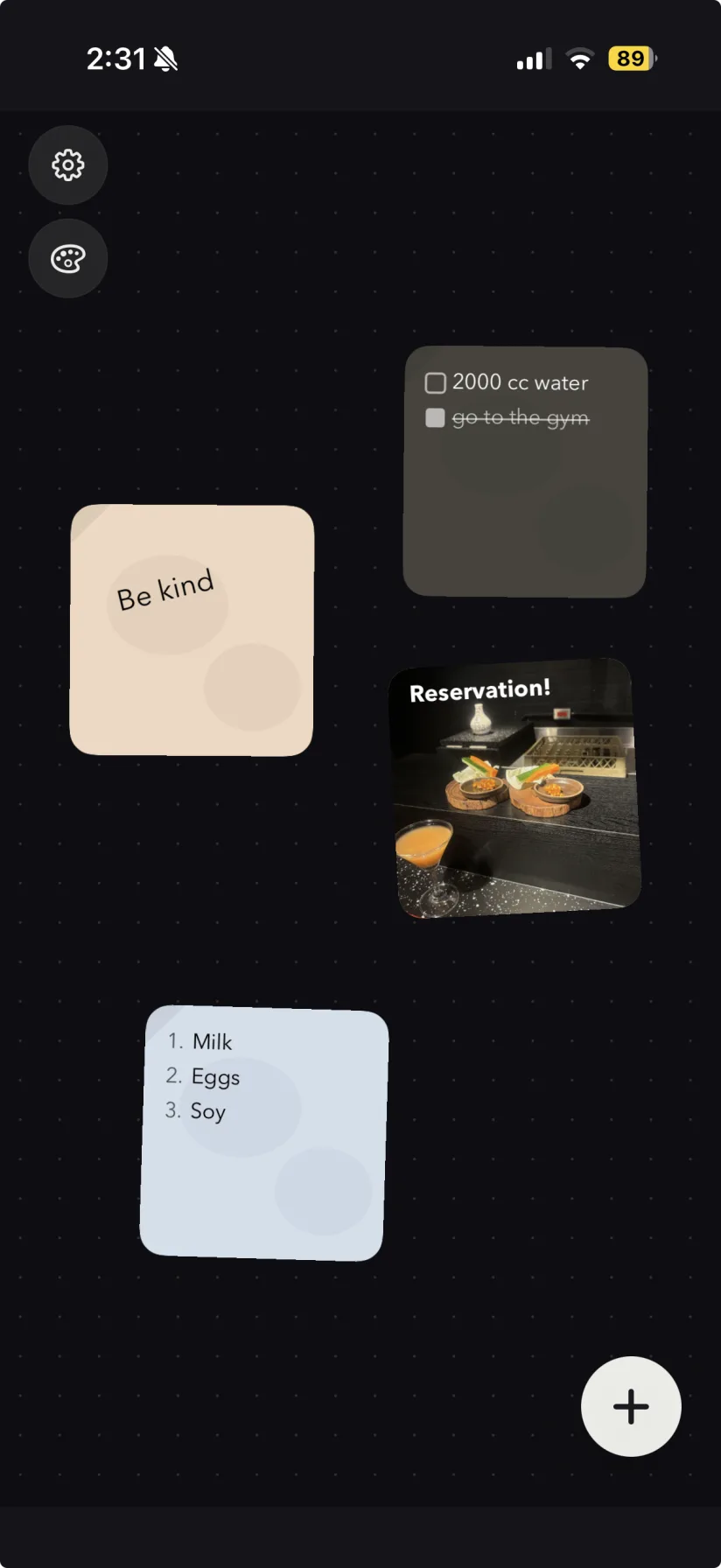
Notes you can't see are notes you forget.
Regular note and notepad apps hide everything one tap away. The grocery list, the reminder, the little message for someone you love — they all deserve a spot you actually look at. That is the whole idea behind a notes widget for iPhone.
- A normal note app has to be opened before you remember it.
- Reminders, screenshots and to-dos belong on your Home Screen.
- Shared notes for couples and family should just be there.
Everything a notes widget should do
A sticky note, notepad, and post-it widget in one — start from a template, add an interactive tool, pin multiple note widgets to your Home Screen, and share them with people you trust.
WidgetNote works as a sticky notes widget, a post-it widget, a notepad widget for iPhone, and a Home Screen note widget — all from one app. Not sure which you need? Compare all the note widgets side by side.
Note widget templates
Grid, lined and dot paper, washi tape, soft glows, rainy-window and desk-lamp scenes, plus seasonal looks. Your text stays when you switch.
Interactive widget tools
Checklists you tick off, progress bars with − / +, habit weeks and mood check-ins that work right on the Home Screen widget.
Countdown widget
Pick a date and the note shows how many days are left — trips, birthdays, exams, holidays — updating on its own every day.
Home Screen sticky notes
Pin any note straight to your Home Screen so the important stuff is always in view.
Shared notes
Share one note with a partner, friend, or your whole family. Edits sync through iCloud; iOS controls when each widget refreshes.
Custom styles
Tune the paper color, font, text color, size, position and even a subtle tilt.
Photo backgrounds
Drop a photo behind your note — a recipe, a ticket, or a memory — right on your Home Screen.
Whiteboard, stacks & rotation
Lay notes out on a whiteboard, drag them into a stack, and let one widget rotate through them on tap or every 10 min, hour or day.
iCloud sync
Notes sync across your iPhone and iPad with CloudKit, and stay in sync for shared groups.
Note widget templates that do more than look good
Open the template gallery, pick a background, and your words stay put. Every template works on the Home Screen widget, in every size.
- Sprint plan · ship v2 · review PRs
Grid
- Dinner at 7? Bring the good bread.
Lined
- Water the plants 🌱
Washi tape
- Call mom ♡
Peach glow
- Night run 8 pm
Night aurora
- Umbrella ☂︎
Rainy window
- Deep work 9–11
Desk lamp
- Exam on Friday
Sticker
- Ideas ✦
Dot grid
- Breathe. One thing at a time.
Lilac glow
- Pumpkin bread recipe
Autumn
- Gift list 🎁
Winter holidays
Tools that work right on the widget
Add a tool to any note and use it without opening the app: tick a checklist, bump a progress bar, mark today's habit, or log your mood.
Today
- ✓Water the plants
- Reply to Mia
- Book dentist
Checklist
Tick items off from the widget
Read 24 books
16 / 24
−+Progress bar
Any goal, with − / + on the widget
Tokyo trip ✈︎
12
days to go
Countdown
Days until something good
Stretch 10 min
MTWTFSS4 / 7 this week
Habit week
Seven days, one tap each
Today
😣😕😌🙂😄Good · Sunny 24°
Mood & weather
How today feels
Groceries
- ✓Oat milk ×2
- Eggs ×12
- Sourdough ×1
Shopping list
Items with quantities
Lock Screen widgets may not support interactive features like tapping or the − / + buttons.
Go deeper: browse all note widget templates, set up a countdown widget on iPhone, use an interactive checklist widget, or track goals with a habit tracker & progress bar widget.
This is WidgetNote, not a mockup
Every iOS notes widget here is a real screenshot from the app.
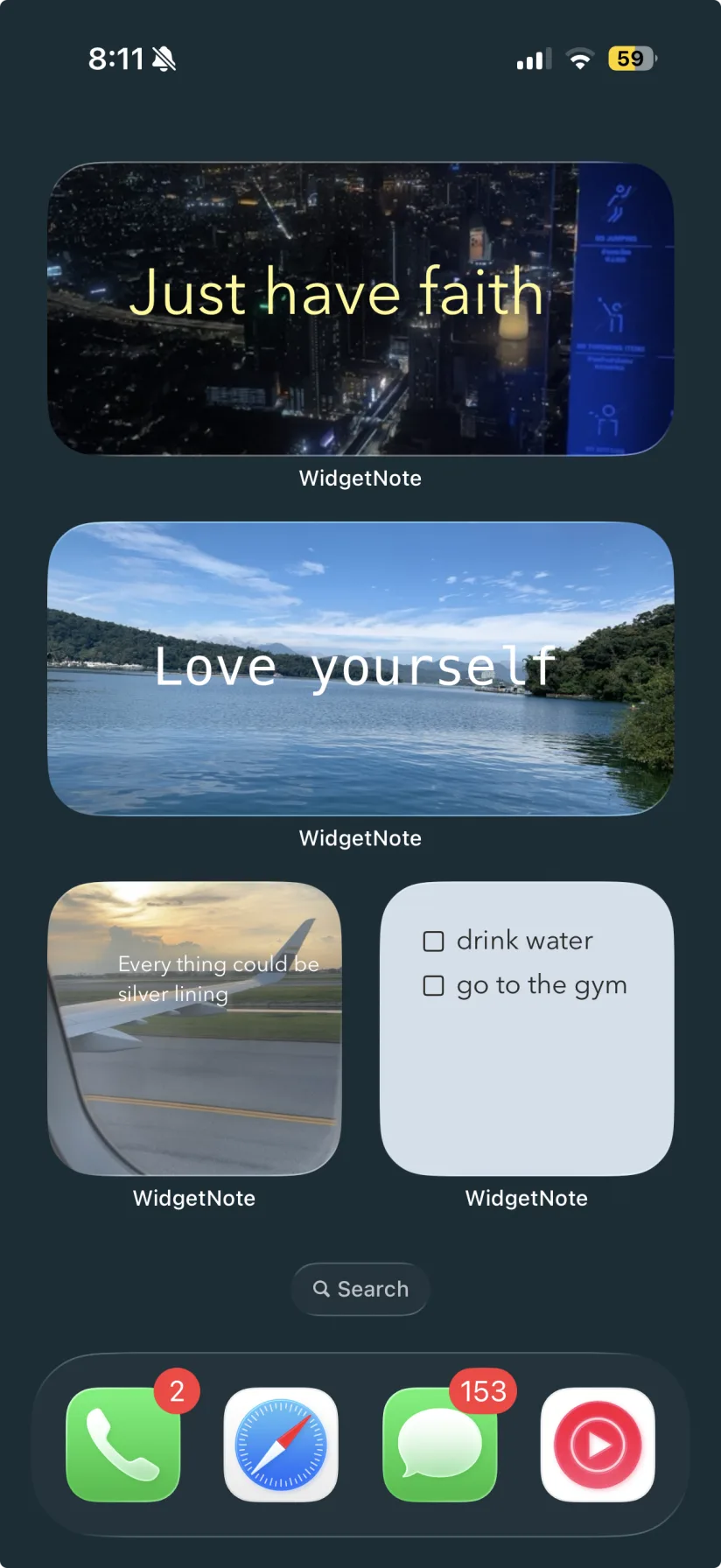
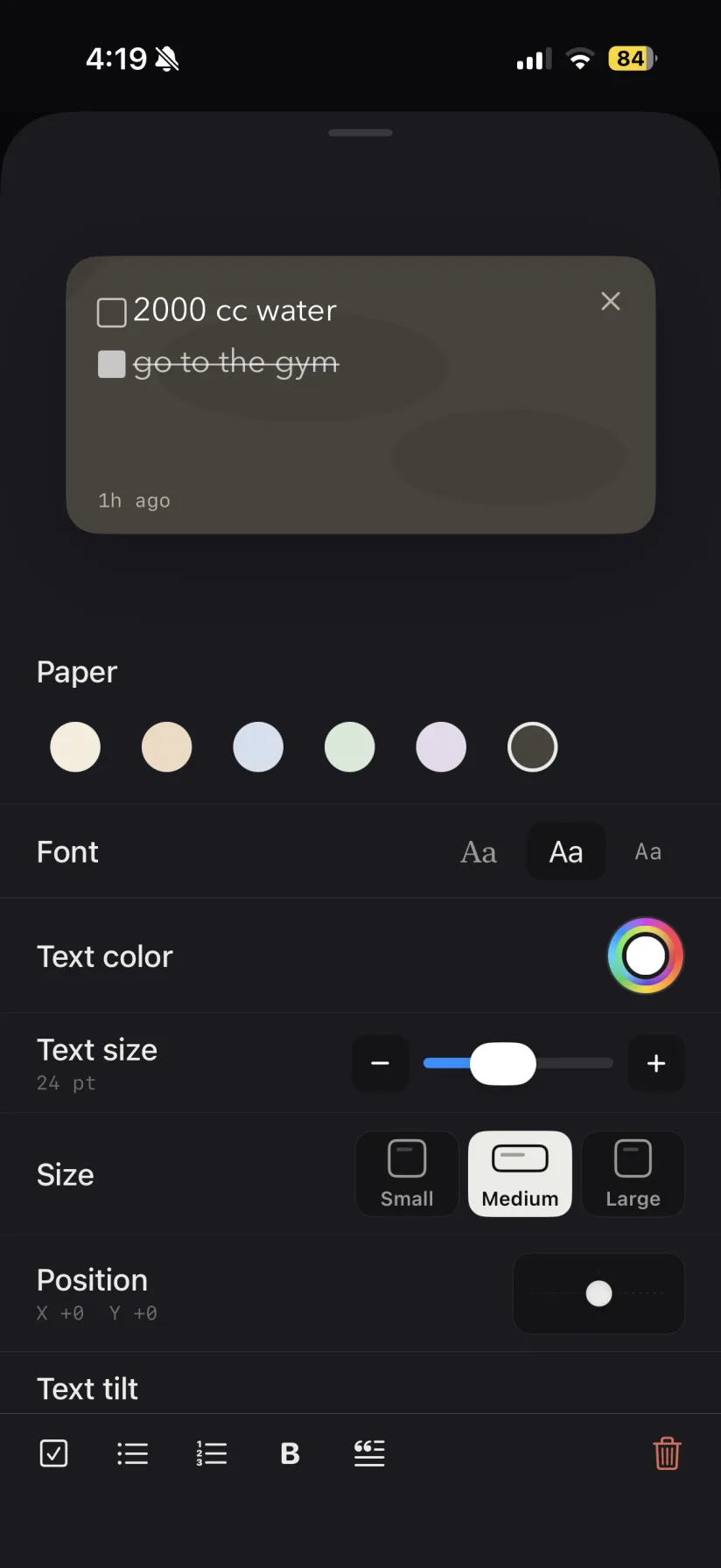
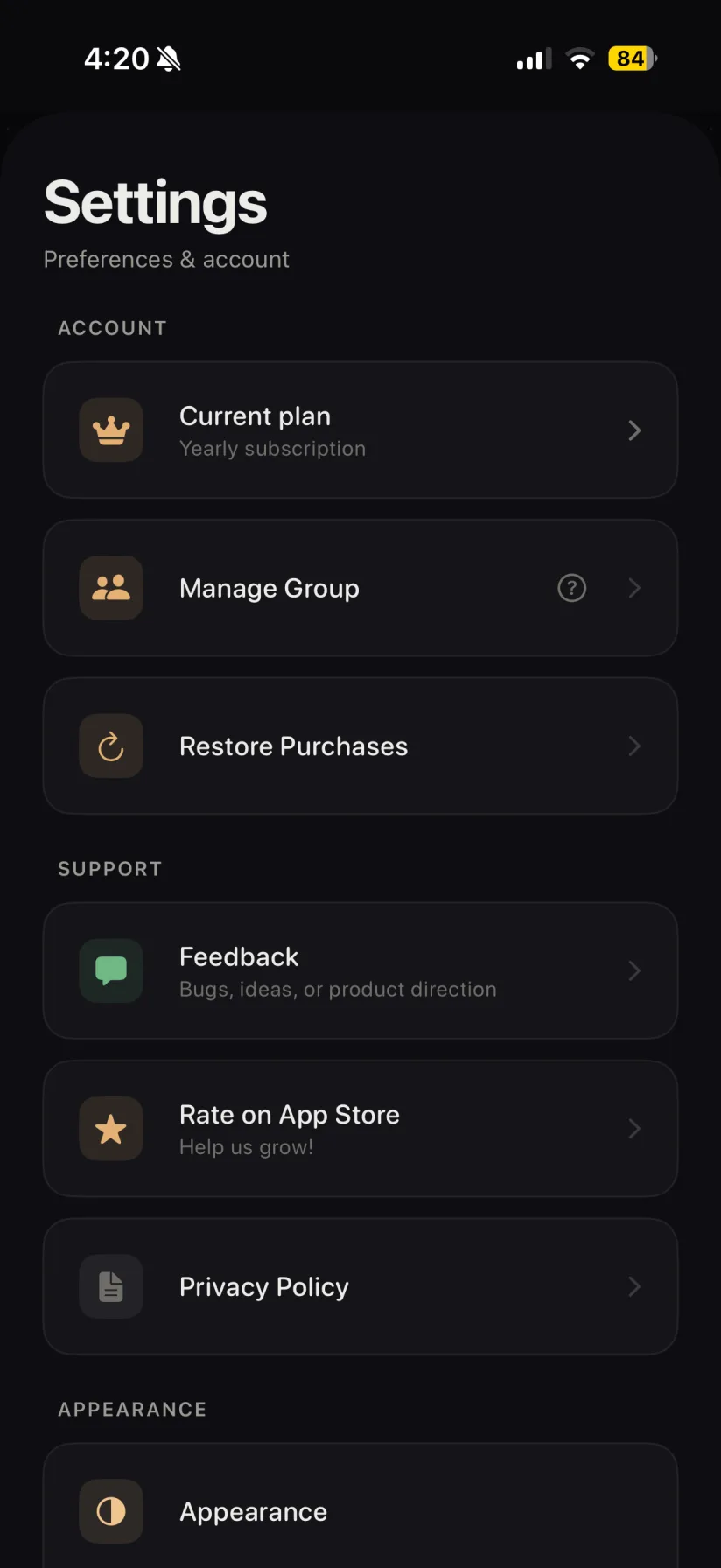
A note for every part of your day
Daily reminders
Groceries, water intake, to-dos and today's schedule — visible the second you unlock.
Couple notes
Leave a message in a shared note your partner can display on their Home Screen.
Family memos
A shared note the whole household can read and update from any device.
Study & work
Keep today's focus, a deadline, or a key number pinned where you can't miss it.
Countdowns
Days until the trip, the wedding, the exam or the holidays — on a seasonal template.
Habits & goals
Tap off this week's workouts or nudge a reading goal forward straight from the widget.
Live on your Home Screen in under a minute
- 1
Create a note
Write a reminder, list, or message inside WidgetNote.
- 2
Pick a template
Choose a template or tool, then tune the font, color and an optional photo background.
- 3
Add the widget
Long-press the Home Screen, tap Edit → Add Widget, and select WidgetNote. Then long-press the widget and choose your note in Edit Widget.
- 4
Tap to edit anytime
Tap the widget to open and edit your note. Notes sync through iCloud; widget refresh timing is managed by iOS.
Never placed an iOS widget before? How to add a note widget on iPhone walks through the same steps in detail, including the Lock Screen and widget stacks.
Built for the Home Screen, on day one
A note widget app designed natively for iOS — the widgets for notes people actually ask for.
Home & Lock
Screen widgets in every size
Shared
Group notes with iCloud sync
Interactive
Checklist, progress & habit tools
Templates
Paper, tape, glow, scenes & seasonal looks
Questions, answered
How do I add a note widget on iPhone?
Create a note in WidgetNote, then long-press an empty area of the Home Screen. Tap Edit → Add Widget (or + on older versions), choose WidgetNote and a size, and add it. Long-press the widget, choose Edit Widget, and select your note.
Can I share a note widget with someone else?
Yes. WidgetNote lets you share a note with a partner, friend, or family group. Edits sync through iCloud / CloudKit, while iOS controls when each person's Home Screen widget refreshes. An update may not appear immediately.
Can I customize colors, fonts, and background photos?
Absolutely. You can change the paper color, font, text color, text size, position and tilt, and set a photo as the note's background.
Does WidgetNote have note widget templates?
Yes. Open a note, tap Template, and pick from grid, lined and dot paper, washi tape and stickers, soft glow gradients, rainy-window and desk-lamp scenes, autumn and winter-holiday looks, or a full-photo layout. Your text stays when you switch templates.
Can I check off a to-do list right from the iPhone widget?
Yes. Add the Checklist or Shopping list tool and tap items on the Home Screen widget to tick them off. The Progress bar, Habit week and Mood tools are interactive on the widget too.
Can WidgetNote show a countdown on my Home Screen?
Yes. Add the Countdown tool to a note, pick a target date, and the widget shows how many days are left — it updates by itself every day.
Does WidgetNote sync across devices?
Yes. Notes sync across your iPhone and iPad using iCloud / CloudKit, and shared group notes — including their templates and tools — stay in sync for everyone in the group.
Is WidgetNote free?
WidgetNote is free to download and start using. Some advanced features and shared groups are available through an optional subscription.
Note widget guides
Want to put a note, sticky note, notepad, checklist, or countdown widget on your iPhone? These guides walk you through it.
Note Widgets
Compare note widgets for iPhone: sticky notes, post-its, notepads, photo notes, and shared widgets. See which type and size fits your Home Screen.
iPhone Note Widget
Choose the right iPhone note widget size, decide what to pin, and compare dedicated note widgets with Apple's built-in Notes widget.
Sticky Note Widget
Create colorful sticky note widgets for your iPhone Home Screen — custom paper, fonts, colors, photo backgrounds, note rotation, and shared sticky notes.
Post-it Widget
Turn your iPhone Home Screen into a post-it board. WidgetNote makes post it note widgets you can color, tilt, photograph, and share — visible without opening an app.
Notepad Widget
WidgetNote is a notepad widget for iPhone — keep a running notepad, checklist, or scratch note on your Home Screen and Lock Screen without opening an app.
Home Screen Note Widget
Add notes to your iPhone Home Screen with WidgetNote. Keep reminders, checklists, photo notes, and shared notes visible at a glance.
Shared Note Widget
Share a live note widget with a partner, friend, or family group. WidgetNote keeps shared notes visible on the iPhone Home Screen.
How to Add a Note Widget on iPhone
Learn how to add a note widget to your iPhone Home Screen with WidgetNote, then customize it with colors, fonts, photos, and shared notes.
Note Widget Templates
Aesthetic note widget templates for your iPhone Home Screen: grid, lined and dot paper, washi tape, glow gradients, cozy scenes and seasonal sticky notes. Free to start.
Countdown Widget
Add a countdown widget to your iPhone Home Screen. Count the days until a trip, birthday, exam or Christmas on a note you can style with templates — free to start.
Checklist Widget
Tick off to-dos and grocery items right from your iPhone Home Screen. WidgetNote’s interactive checklist and shopping list widgets work without opening the app.
Habit Tracker Widget
Track habits, goals and mood from your iPhone Home Screen. Tap this week’s habit days, bump a progress bar with − / +, and log your mood right on the widget.
Put your first note on the Home Screen
Download WidgetNote and turn your iPhone Home Screen into a place you actually read.