WWidgetNote
WidgetNote/Checklist Widget
Interactive checklist widget

Check off your list right on the iPhone widget

WidgetNote’s Checklist and Shopping list tools turn a note into an interactive to-do list widget. Tap an item on your Home Screen and it’s done — no app to open.

Works on the Home Screen. Syncs with shared lists.

Tap to tick items off on the widget.

A to-do list you can finish from the Home Screen

Most to-do list widgets only show tasks; you still have to open the app to check them off. WidgetNote’s checklist widget is interactive, so ticking off “water the plants” takes one tap on the Home Screen, and the list stays visible all day.

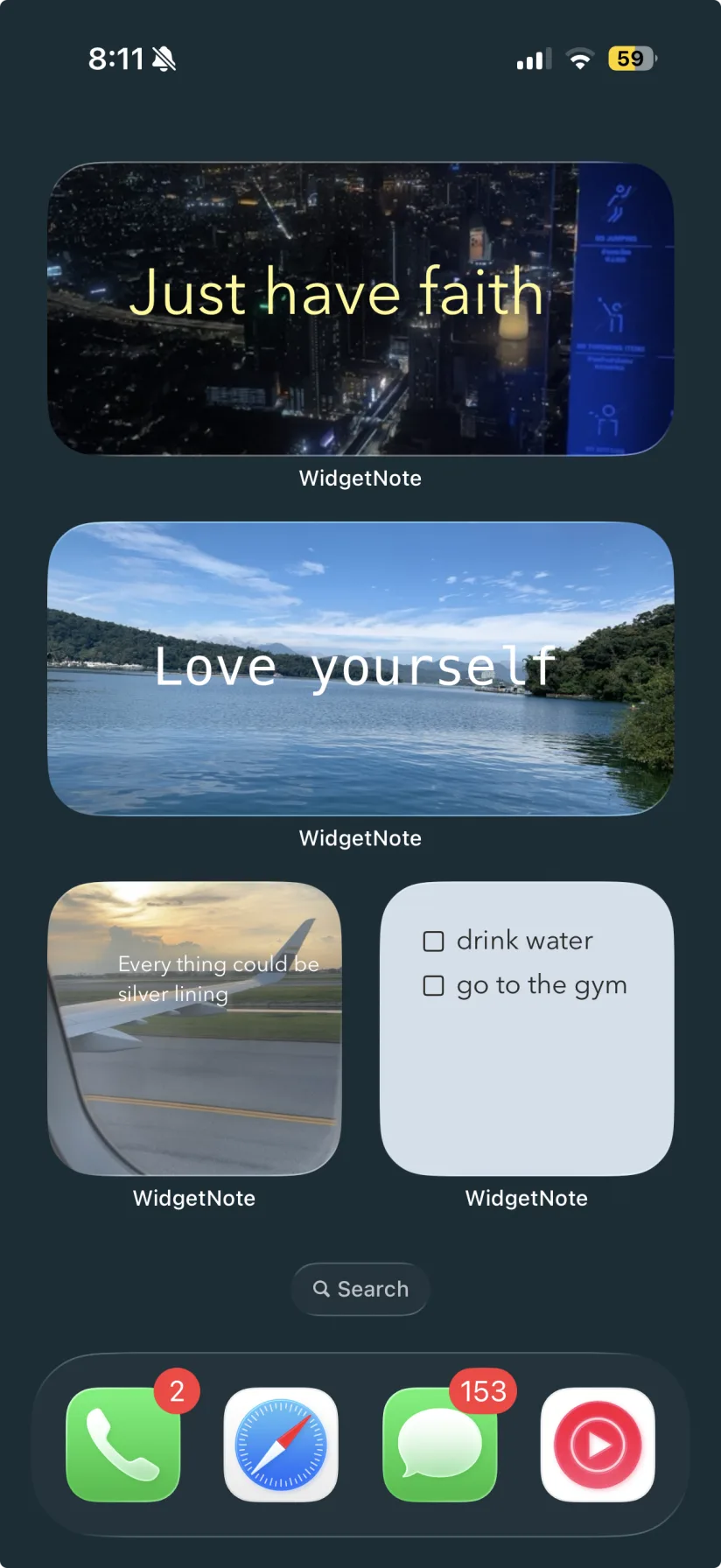
WidgetNote photo notes and lists on an iPhone Home Screen
An actual screenshot from WidgetNote

Two list tools

Pick the one that fits, then edit items anytime from the note.

  • Checklist: today’s to-dos you tick off from the widget.
  • Shopping list: grocery items with quantities, like “Eggs ×12”.
  • Both start with a ready-made scaffold you can rename.

A shared grocery list widget

Put the list in a shared note. When your partner ticks off the milk at the store, the item is checked on your widget too.

Readable at a glance

Put your list on the Grid or Lined template, adjust font size, and choose a widget size that fits the list.

Steps
1

Create a note

Start a new note for today’s tasks or groceries.

2

Add a list tool

Tap Tools and choose Checklist or Shopping list.

3

Write your items

Rename the sample items or add your own.

4

Add the widget

Place the WidgetNote widget on your Home Screen and select the note.

5

Tap to tick

Tap any item on the widget to check it off.

FAQ

Questions people ask

Is there an interactive checklist widget for iPhone?

Yes. WidgetNote’s Checklist and Shopping list tools let you tick items off directly on the iPhone Home Screen widget.

Can I share a grocery list widget with my family?

Yes. Put the Shopping list tool in a shared note and every member’s widget shows the same list and checkmarks.

Can I check items off on the Lock Screen?

Lock Screen widgets may not support interactive features, so checking items off is designed for the Home Screen widget.

Can I style the to-do list widget?

Yes. Any template works with a checklist — Grid and Lined paper are popular for lists.

Finish your list without opening an app

Download WidgetNote and tick off your next to-do straight from the Home Screen.